Video game backlog tracker
What to track, the shelves that keep a list tidy, and three ways to keep it: paper, a spreadsheet or an app.
The four shelves
Every game in your collection fits on one of four shelves. Keeping them apart is what makes a tracker useful.
| Shelf | What goes there | Keep it |
|---|---|---|
| Playing | Games you have a save in and will open this week | Two or three at most |
| Backlog | Owned, not finished, you still want to play | Honest: remove what you never will |
| Wishlist | Not owned yet | Separate, so it does not swell the backlog |
| Played | Finished or dropped, with a date | Forever: it is your history |
What to write for each game
- Size — short, medium, long or huge. Enough for the calculator and for picking what fits tonight.
- Platform and how you own it — useful once a collection spreads across several stores and consoles.
- Started and finished dates — they turn into a yearly count for free.
- Hours played — rough is fine.
- A rating and one line — what you will want to remember in five years.
- Tags — your own words like "co-op", "cosy" or "story", to filter later.
Three ways to keep it
Paper
A printed list on the desk is hard to ignore, and crossing a line out feels great. Use our printable backlog template.
A spreadsheet
One row per game, columns from the list above, a filter on Shelf. It works, but you will stop updating it when it is not on your phone.
An app
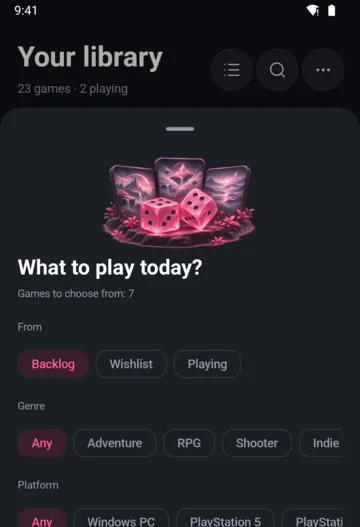
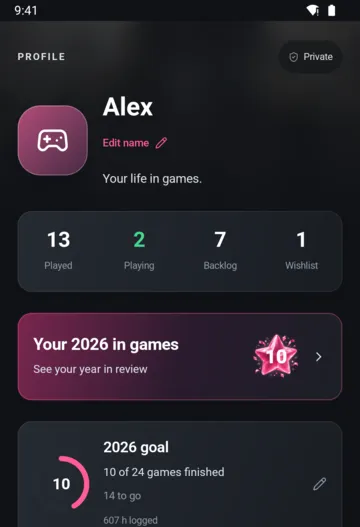
A tracker on your phone is there when you buy or finish a game, which is when the list needs updating. Ours is below: shelves, tags, a play diary, a yearly goal and a widget. For what to write in the diary, see video game journal ideas.

Our app
Keep the whole pile in your pocket
The tools on this site work with numbers. Our free app tracks the games themselves: what you are playing, what waits in the backlog and what you finished this year.
 A “what to play?” button for your own backlog
 A yearly goal that fills up as you finish games
 A play diary with hours, platforms and notes
 A home-screen widget with what you are playing