How long will your game backlog take?
Free · no sign-up · nothing to install
Count the games you own but have not finished, guess how long each kind takes, and say how much you play. The calculator turns your pile into a finish date, and tells you if buying new games keeps it growing.
How it works
The maths behind your finish date
Your backlog in hours is the number of games in each size times the hours you guessed for that size. Each week you play some of those hours away, and each month new games add hours back. The calculator takes the average length of the games in your pile as the length of a new game.
The starting numbers on this page: 12 games, 293 hours in total. Playing 8 hours a week clears 8 hours; one new game a month adds about 5.6 hours a week. The pile shrinks by about 2.4 hours a week, so it is gone in about 124 weeks, or 2.4 years. Without the new game each month it would take 37 weeks.
If new games add more hours than you play, the date becomes Never. That is the useful answer: the fix is in your habits, not in playing faster.
Ways to make the pile smaller

Stop choosing, start playing
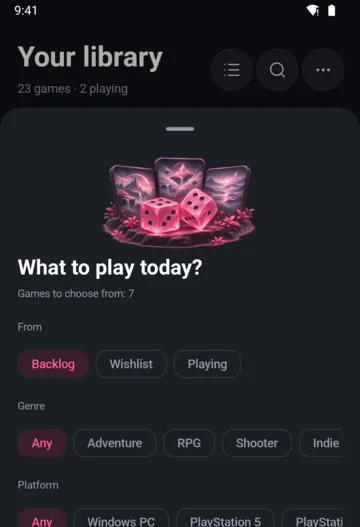
Paste your list and let a dice roll pick tonight's game.

Set a yearly goal
See how many games a month you need to hit it.

Read the backlog guide
Eight habits that actually shrink a pile of games.
Questions
What counts as a game backlog?
Every game you own, or plan to play, that you have not finished or dropped. Leave out endless games you play for fun with no end, like online shooters, unless you want to give them a set number of hours.
How do I know how long a game is?
Use your own experience: how long similar games took you. The four sizes are there so you do not have to look up every game. If you are a completionist, double the hours.
Is anything saved or sent?
No. The numbers stay on this page. We only count anonymous page events, without cookies.

Our app
Keep the whole pile in your pocket
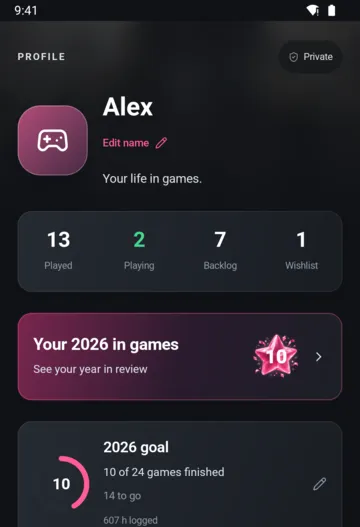
The tools on this site work with numbers. Our free app tracks the games themselves: what you are playing, what waits in the backlog and what you finished this year.
- A “what to play?” button for your own backlog
- A yearly goal that fills up as you finish games
 A play diary with hours, platforms and notes
 A home-screen widget with what you are playing