How to beat your game backlog
Eight habits that make a pile of unplayed games smaller, with the numbers to show why they work.
First, measure it
A backlog feels endless because you never see its size. Count the games you own and still want to finish, sort them into short, medium, long and huge, and put the numbers into the backlog calculator. Two examples, using the calculator's starting hours per size:
| Backlog | Games | Hours | Play/wk | New/mo | Cleared in |
|---|---|---|---|---|---|
| A quiet backlog | 7 | 112 | 6 h | 0 | 19 weeks |
| A sale collector | 40 | 1085 | 8 h | 3 | never |
The second backlog never ends: three new games a month add about 19 hours a week, more than eight hours of play can clear. That is why most of the habits below are about what comes in, not how fast you play.
Eight habits that work
1. Buy a game only when you are ready to start it
Sales come back. A game bought "for later" joins the pile at full length. Waiting until you would start it tonight is the single biggest change you can make.
2. Keep one main game and one short game
One long game for weekends, one short game for evenings. Starting a third game is how saves get abandoned at 40%.
3. Let a dice roll decide
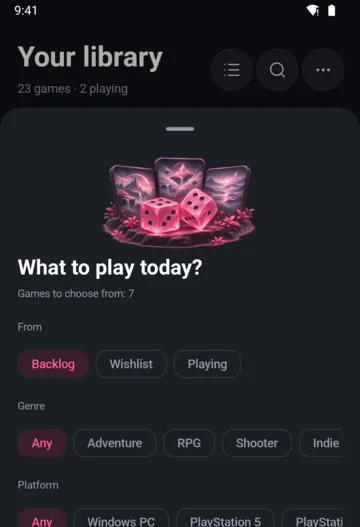
Choosing eats evenings. The what to play next picker gives you one answer from your own list.
4. Drop games without guilt
If a game has not grabbed you after a few hours, remove it from the backlog. Dropped is a valid ending, and it shrinks the pile faster than anything else.
5. Play the shortest game when you feel stuck
A finished game is momentum. Two short games in a week often restart a habit that one long game had stalled.
6. Set a goal you can see
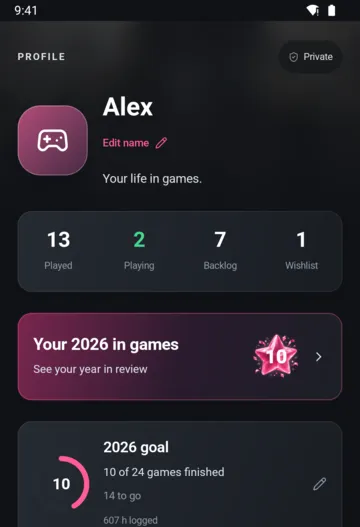
"Finish more games" never ends. "Finish 18 this year" does. The gaming goal calculator shows the pace you need.
7. Skip the 100% unless you love it
Collectibles can double a game's length. Roll the credits, then decide if you want more.
8. Write one line when you finish
A short note — when you finished, how long it took, what you thought — turns the backlog into a record you are proud of. Prompts are in our video game journal ideas.

Our app
Keep the whole pile in your pocket
The tools on this site work with numbers. Our free app tracks the games themselves: what you are playing, what waits in the backlog and what you finished this year.
 A “what to play?” button for your own backlog
 A yearly goal that fills up as you finish games
 A play diary with hours, platforms and notes
 A home-screen widget with what you are playing