Video game journal ideas
A few lines after each session turn a list of games into a diary of your playing life. Here is what to write.
Eight prompts for when you finish a game
- What made you start this game now?
- The moment you knew you liked it (or did not).
- One place, character or level you will remember.
- What you would tell a friend before they start.
- How many hours it took, and was that the right length?
- Did you finish, drop or put it on hold? Why?
- A rating out of five, and one word for it.
- Who you played it with, if anyone.
A quick session log
For long games, a one-line entry per session is enough: the date, hours played and where you stopped. When you come back after a break, the last line tells you what you were doing.
Format: date · hours · where I stopped · one thought. For example: "Sat · 2 h · just reached the second city · the music here is great."
Look back at the end of the year
A year of entries gives you a review for free: how many games you finished, your total hours, your favourite, the longest one. Set a target with the gaming goal calculator and compare in December.
Where to keep it
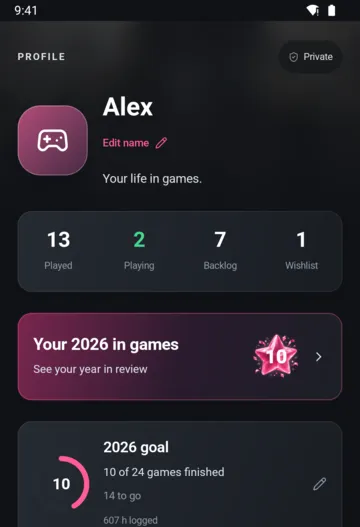
Any notebook works. If you want it next to your backlog, our app has a play diary for each game with sessions, hours and platform, plus a year in review.

Our app
Keep the whole pile in your pocket
The tools on this site work with numbers. Our free app tracks the games themselves: what you are playing, what waits in the backlog and what you finished this year.
 A “what to play?” button for your own backlog
 A yearly goal that fills up as you finish games
 A play diary with hours, platforms and notes
 A home-screen widget with what you are playing